MK Brown Logo Backpack: Laptop-Safe, Commute-Ready
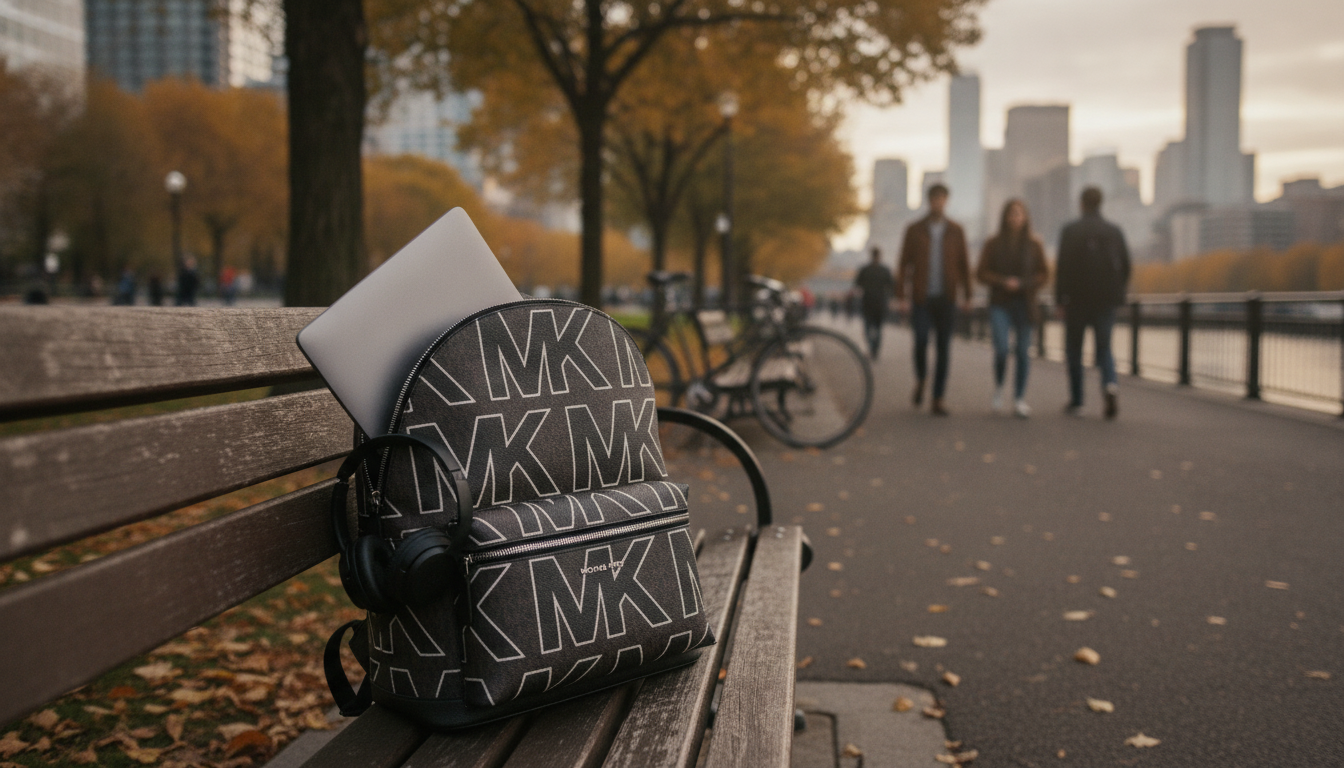
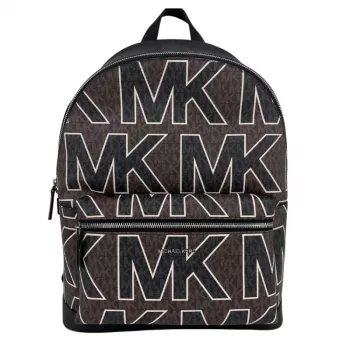
Michael Kors Brown Graphic Logo Large Backpack with Laptop Compartment
A structured backpack can make daily commuting and travel feel simpler—especially when a dedicated laptop compartment keeps tech protected and easy to reach. This brown Michael Kors graphic logo large backpack pairs a recognizable look with practical organization for work, school, and on-the-go days.
What Stands Out at a Glance
- Signature graphic logo styling in a versatile brown colorway
- Large backpack profile suited to daily essentials plus a laptop
- Dedicated laptop compartment to separate tech from other items
- Works for commuting, campus, errands, and short trips where hands-free carry matters
If you’re ready to upgrade your everyday carry, see the Michael Kors Brown Graphic Logo Large Backpack with Laptop Compartment currently available in our store.
Laptop Compartment: Fit, Protection, and Access
A dedicated laptop section changes how a backpack performs day to day. Instead of letting a computer shift between notebooks, chargers, and sunglasses cases, the separate compartment helps keep the device flat, supported, and easier to pull out quickly.
- Use the laptop compartment to keep a computer stable instead of sliding among books or accessories.
- Pair with a slim sleeve for extra scratch protection, especially if you also carry keys, adapters, or a metal water bottle.
- Compare the listed bag measurements to your laptop’s full width/height/thickness—not only the diagonal screen size.
- If you move through security or meeting check-ins often, quicker access can reduce rummaging and rushed repacking.
Laptop Fit Checklist (Quick Comparison)
| What to check | Why it matters | How to confirm |
|---|---|---|
| Laptop dimensions (W × H × D) | A 14-inch and 15-inch device can differ widely in footprint and thickness | Compare device specs from the manufacturer to the bag’s laptop compartment measurements |
| Compartment padding/structure | Helps reduce pressure points and minor impacts during commutes | Look for a structured section; add a sleeve if carrying heavier items |
| Access style | Faster entry makes checkpoints and office transitions smoother | Confirm opening size and zipper path from photos and product details |
| Charger and cable storage | Prevents cable tangles and helps protect ports | Plan a small pouch so accessories don’t press against the laptop |
For a practical reference point when checking device dimensions, manufacturer spec pages are often the most reliable source (for example, Apple provides exact measurements on its MacBook Air Technical Specifications page). For airport screening expectations, the TSA guidance on traveling with laptops can help you plan for quick removal and repacking.
Organization for Everyday Carry
A large backpack earns its keep when it prevents small items from floating to the bottom. The most useful setups separate “work mode” from “life mode,” so you can find essentials without emptying the whole bag.
- Separate zones help keep work items (notebook, pens, planner) away from travel items (snacks, sunglasses, tissues).
- Use smaller pouches for loose items to keep the main compartment tidy and speed up packing.
- Reserve a consistent spot for essentials like keys and cards to reduce daily search time.
- If carrying water, keep it upright and away from tech; a sealed bottle is a smart choice for commutes.
A simple habit that pays off: keep “power items” (charger, cable, earbuds, power bank) in one slim zip pouch. It protects ports, prevents tangles, and makes it easy to swap bags without forgetting something critical.
Comfort and Carry for Longer Days
When you’re carrying a laptop plus daily extras, comfort is less about the bag looking lightweight and more about how it distributes weight over hours.
- A backpack can distribute weight more evenly than a shoulder bag when carrying a laptop and chargers.
- Adjust straps so the bag sits high enough to reduce shoulder strain and minimize swinging while walking.
- For heavier loads, place the laptop closest to the back panel and lighter items toward the front to improve balance.
- If traveling, keep frequently used items (passport wallet, phone charger, sanitizer) in the most accessible pocket.
Styling: From Commute to Weekend
The brown graphic logo finish is easy to rotate between workdays and off-duty outfits. It reads polished with business-casual layers, yet still feels natural with denim, sneakers, and a simple tee.
- Brown tones pair well with neutrals (black, cream, gray) and warmer palettes (tan, olive).
- For a cleaner look, keep exterior add-ons minimal and use internal pouches for color or pattern.
- It can work as a carry-on personal item on many trips; confirm airline size rules before flying.
For a coordinated weekday look, pair the backpack with a streamlined top like Guess Women’s Black Knitwear for an easy, minimal base that complements the logo pattern without competing with it.
Care and Longevity Tips
A structured bag looks best when it keeps its shape and stays clean around high-touch areas. A few low-effort habits can help it hold up through busy weeks.
If you want to double-check brand-specific care guidance and materials, the Michael Kors official site is a helpful reference point.
Alternatives Worth Considering
For lighter outings, the Calvin Klein Jeans Women’s Black and Pink Printed Shoulder Bag is an easy alternative when you’d rather carry just the essentials.
FAQ
What laptop size fits in the laptop compartment?
Fit depends on the compartment’s dimensions and your laptop’s full width, height, and thickness. Compare your device specs to the bag’s listed measurements, and consider a slim sleeve if you want extra scratch protection.
Is this backpack suitable for travel and as a personal item?
It can work well for travel thanks to hands-free carry and built-in organization. Personal-item acceptance varies by airline, so check your carrier’s size limits and compare them to the bag’s measurements before flying.
How can the logo finish be kept looking clean?
Wipe it gently with a soft cloth and avoid harsh cleaners that can dull the finish. Store the bag properly and keep liquids sealed in pouches to help prevent stains and residue.






Leave a comment